
A new customer can find a barbershop’s booking button and still be unsure what to select. Does the haircut include beard work? Can they choose a barber? Will the next screen show the same shop they just read about?
Keep booking easy to find while answering those decisions nearby. The website can introduce the shop and explain its services; the appointment system can handle the actual selection and reservation. The handoff between them deserves as much care as the first screen.
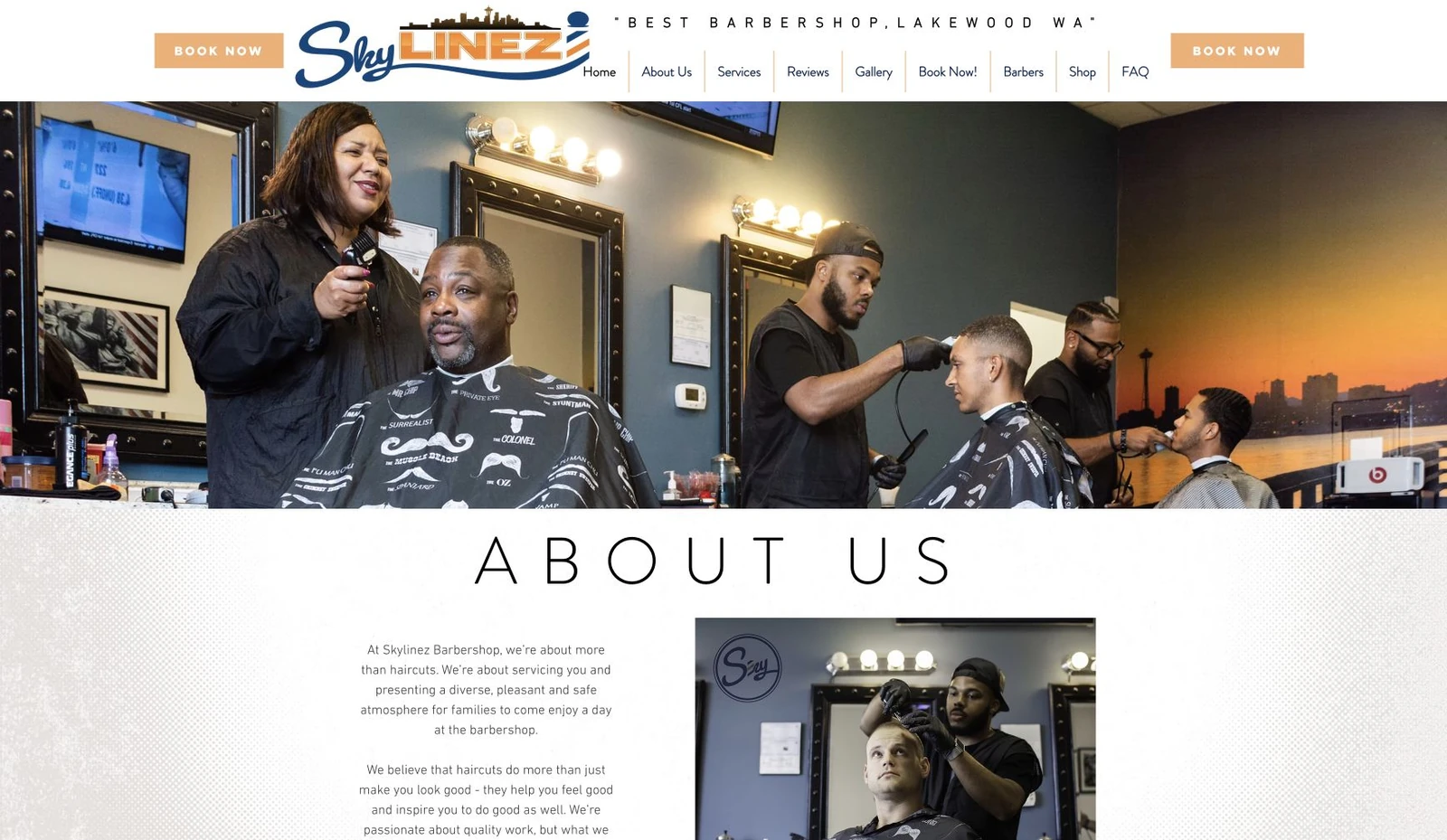
The examples in this guide are hypothetical. The cover shows earlier Skylinez Barbershop website work by Umanifest. It illustrates a website presentation, not a claim about the shop’s current team, services, prices, booking provider, or appointment availability.
Start with the decision the customer needs to make
Write down what a first-time visitor needs to know before arranging a visit. For a hypothetical Tacoma barbershop, that could include finding the right haircut service, checking whether beard work is a separate choice, and understanding how appointments are arranged.
Treat that list as a starting assumption. Ask people who actually answer the shop’s calls which questions recur. Watch a willing customer or likely customer try to find a suitable service on the website, without prompting them toward a particular button.
GOV.UK’s user-research guidance recommends learning what people are trying to accomplish and testing ideas with actual or likely users. It is a general design method, not research establishing how every barbershop customer behaves. Use what you learn from your own customers to decide which explanations belong on the page.
Make service names agree with the appointment menu
Use plain descriptions alongside any branded service names. If the appointment menu separates a haircut from a haircut-and-beard service, the website should explain the same distinction using details the shop has confirmed.
For each service, gather its actual name, what is included, and any information the customer needs to choose it. Publish prices or durations only when the shop has approved the current information. If those details vary, explain the real arrangement rather than guessing a “starting at” price or a typical appointment length.
Compare the website and scheduler side by side. A customer who reads about one service should not need to decode an unrelated name on the next screen. When a service changes, update both places or make clear where the authoritative current details appear.
The website does not need to reproduce every control in the booking system. It does need to help someone recognize the choice they are about to make.
Help people understand who they can book with
A team page can introduce current barbers through accurate names, authentic photographs, and approved examples of their work. Explain the choices the actual booking route supports.
If customers can select an individual barber, connect that person’s profile to the correct destination where practical. If the shop assigns appointments differently, explain that process in its own terms. Do not promise a specific barber simply because their portrait appears beside a general booking link.
Review team content when someone joins, leaves, or changes availability. A past photograph may remain part of the business’s story, but it should not imply that the person pictured is currently bookable. Get the appropriate permission before using customer photographs or attributing work to a particular barber.
Confirm which shop the customer is visiting
Make the actual location and contact details easy to reach from the service and booking information. For a business with more than one shop, keep the location choice clear all the way into the appointment system.
Use business-provided arrival details when they are useful and confirmed. Do not assume walk-ins are accepted, parking is free, the entrance is step-free, or a particular cancellation policy applies. Where a customer needs to ask about access or another visit requirement, provide the shop’s genuine contact route.
Check the published opening hours against the business’s current arrangements. Opening hours and appointment availability can mean different things; avoid presenting either as a guarantee that a slot is available.
Explain the handoff in the words beside the link
A booking link should describe the action it actually starts. Depending on the real destination, suitable wording might be “Choose a service and appointment time” or “Request an appointment.” Those actions are different. Clicking a link does not itself confirm a reservation.
W3C’s Link Purpose guidance explains WCAG 2.4.4, a Level A criterion. A link’s purpose should be understandable from its text or programmatically associated context, subject to the criterion’s exception. A clear visible label is a useful starting point.
When an outside provider handles booking, a short explanation can tell the customer where they are going. Check that the link opens the correct shop’s appointment page, rather than the provider’s generic homepage or a different branch.
Prefer an ordinary same-tab link unless there is a reason to open another tab. If a new tab is needed, warn the visitor. W3C technique G200 discusses limiting new windows and tabs; this is advisory guidance, not a universal requirement to use one particular tab behavior.
Check the complete route on a phone
Run a practical walkthrough from the service page to the real booking destination:
- Find a suitable service using the words and photographs on the website.
- Follow its booking link and check that the expected shop, service, or barber appears where the link promises it.
- Read the provider’s instructions and identify when a request or appointment would actually be confirmed.
- Return to the website and confirm that navigation still makes sense.
- Repeat using a keyboard, checking visible focus and the order in which controls are reached.
Stop before creating an appointment unless the business has authorized a test and arranged how to handle it. A visible button or a calendar screen is not proof that the reservation and confirmation process works end to end.
Check the space around touch controls too. WCAG 2.5.8, Target Size Minimum, is Level AA and uses a 24-by-24 CSS-pixel minimum with spacing and other exceptions. A larger primary booking control can be a practical design choice. One target-size check does not establish the accessibility of the whole website or an outside scheduler.
Our mobile website checklist covers reading, menus, and contact checks that support this route.
Give someone responsibility for keeping the route accurate
Keep a short record of the service descriptions, approved images, current team information, booking destinations, and person responsible for changes. Review the route whenever the shop changes its services, staff, location, or appointment provider.
Start with one service on your own website. Follow it from the explanation to the booking destination, then write down every moment where the name, location, or next action becomes unclear. Bring those notes into a website design or redesign discussion with the business information needed to fix them.
Sources & further reading
- GOV.UK: learning about users and their needs
- W3C: link purpose in context, WCAG 2.4.4
- W3C: opening new windows and tabs only when necessary, G200
- W3C: target size minimum, WCAG 2.5.8
Published by Umanifest with AI-assisted research and writing. External standards and tools can change; sources are provided so you can check the current guidance.